
Teach SIDELINE your court
SIDELINE sees best on courts it has learned. Every session you fix and send teaches it yours, and makes it a little better on everyone else’s.
Play
Get SIDELINE on Google Play, set your phone up behind the baseline, and play. Turn on Save my sessions and Help improve SIDELINE before you start.

Fix what it got wrong, and send it
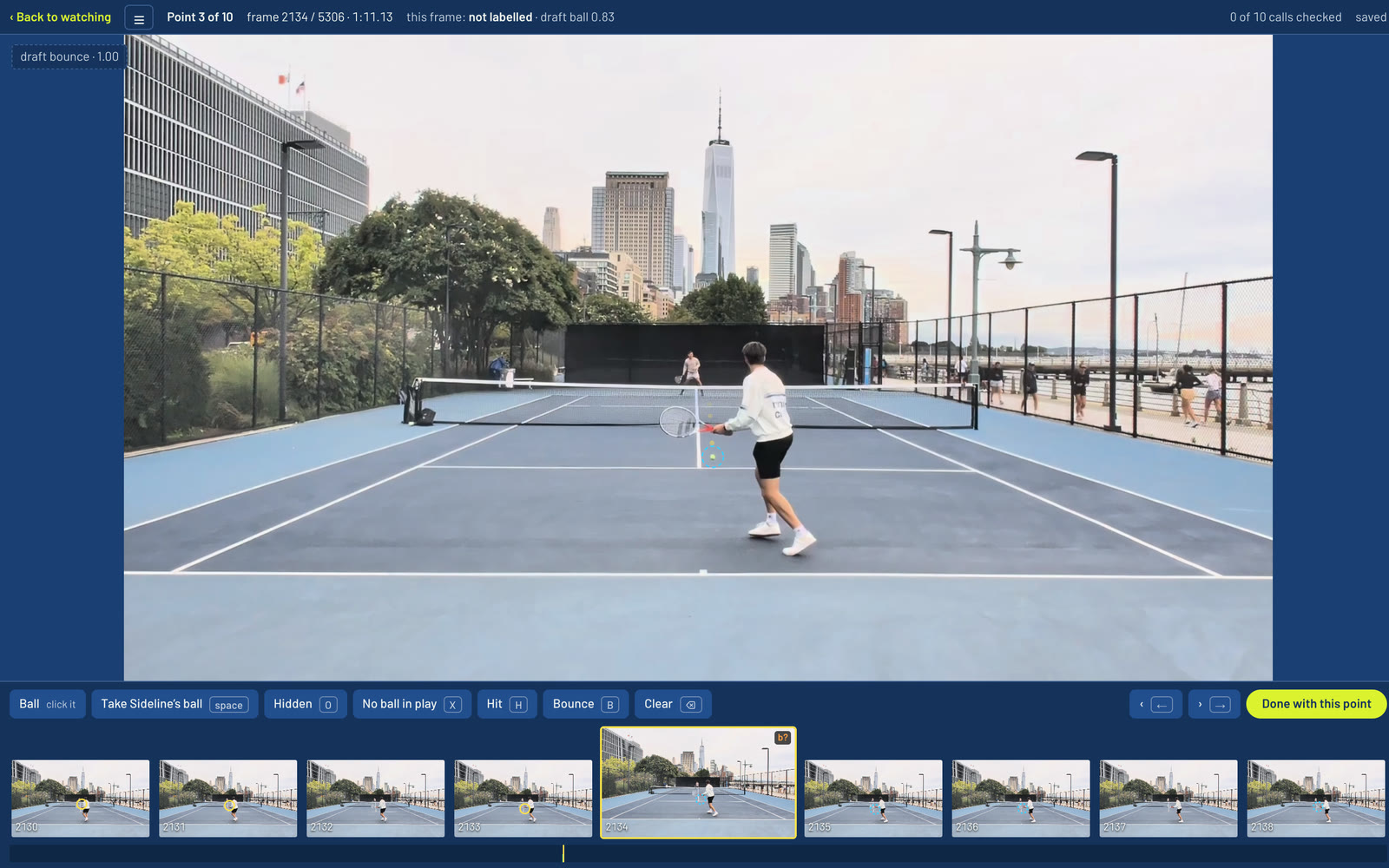
Open the session at heysideline.com in Chrome on a computer. Correct the ball, the hits, the bounces and the court’s lines, then press Send to SIDELINE.
Take your time: a few points fixed carefully teach SIDELINE more than a whole session fixed fast, and one wrong mark can teach it the wrong thing. We check every session by hand.
Get a SIDELINE that knows your court
Every weekend we train SIDELINE on the sessions sent that week. After your next update it knows your court better and follows the ball, the players and the lines more accurately for you. Because one SIDELINE learns from everyone’s sessions, it gets a little better for every other player too.
Your choice, session by session
Help improve SIDELINE is kept with each session as you record it. Turning it on doesn’t reach back to older sessions, and turning it off doesn’t undo what SIDELINE has already learned. Delete a session and it’s never used again.